

 0808 234-2046
 1 800 983 148
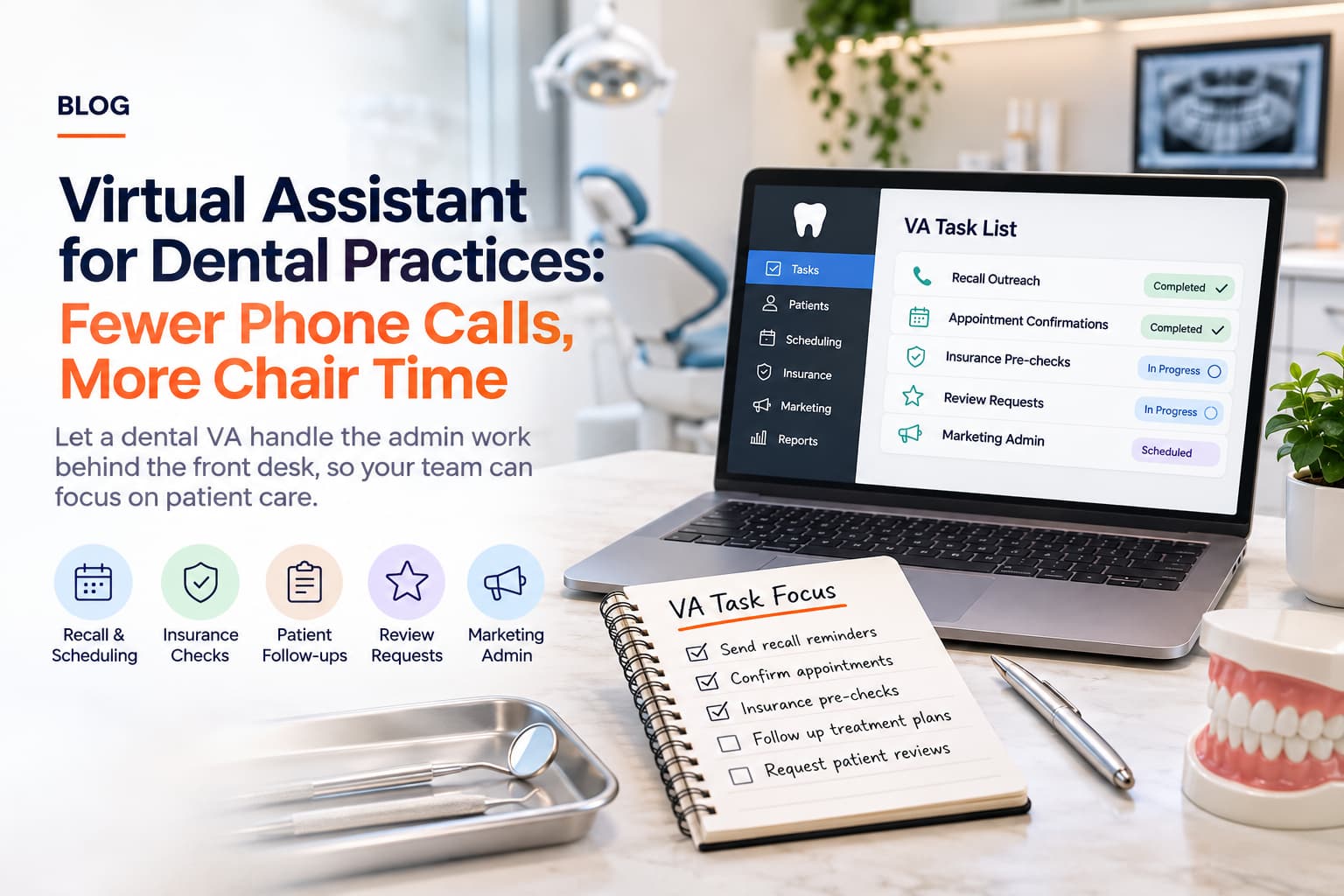
Virtual Assistant for Dental Practices: Fewer Phone Calls, More Chair Time
A dental practice runs on a tight schedule. Every cancellation that is not refilled, every recall that is never sent and every insurance question that is answered too late costs the practice chair time. Most of that work is administrative, and a lot of it lands on a front desk that is already busy checking patients in and out.
A virtual assistant works as an extra pair of hands behind the front desk. They handle the repeatable, non-clinical work that tends to fall through the cracks, so your in-office team can focus on the patients in front of them.
Quick Summary
A dental VA can handle recall outreach, appointment confirmations, insurance pre-checks, review requests, and marketing admin.
Clinical work, diagnosis and treatment advice always stay with your licensed team.
Any task that touches patient health information needs a clear privacy agreement and limited system access first.
Where the front desk loses time
Ask any office manager what they would do with an extra hour a day and the answers are usually the same: call patients who are overdue for a cleaning, chase unscheduled treatment, sort out insurance questions before the visit, and finally get to the reviews and social posts that keep getting pushed back. These are important jobs, but they are rarely urgent, so they lose out to whoever is standing at the desk.
Tasks a dental VA can take on
1. Recall and reactivation outreach
Working from a list you provide, your VA sends recall reminders by phone, text or email using your approved scripts, and logs the outcome. Patients who have not been in for a long time can be put on a gentle reactivation sequence.
2. Appointment confirmations and gap filling
Confirming tomorrow's schedule and working through a short-notice list when a slot opens up helps protect production without adding to the desk's workload.
3. Insurance pre-checks
A VA can contact payers or use your verification portal to confirm eligibility and benefits ahead of the visit, then record the result for the treatment coordinator. Anything involving a judgement about coverage or what to tell the patient goes back to your team.
4. New patient paperwork follow-up
Sending intake forms in advance and chasing incomplete ones means fewer delays on arrival day.
5. Unscheduled treatment follow-up
Your VA can follow up with patients who accepted a treatment plan but have not booked, using wording your dentist has approved, and pass any clinical questions straight back to the practice.
6. Reviews and online reputation
After a visit, your VA can send review requests and flag any negative feedback to you. Replies to reviews should be drafted by the VA and approved by you, and should never confirm that someone is a patient.
7. Marketing admin
Scheduling social posts, updating the website team page, sending a monthly newsletter and keeping Google Business details current are all tasks that can be run from a content calendar.
8. Supplier research and order prep
Comparing supplier quotes, tracking delivery dates and preparing reorder lists for the practice manager to approve.
What should stay in the office
| Task | VA can help with | Keep in-house |
|---|---|---|
| Scheduling | Confirmations, gap lists, reminders | Triage of urgent or clinical calls |
| Insurance | Eligibility checks, claim status follow-up | Coverage decisions, patient financial conversations |
| Treatment plans | Follow-up on unbooked treatment using approved wording | Any clinical explanation or advice |
| Records | Admin filing where access is formally set up | Clinical notes and charting |
Protecting patient privacy
Dental practices handle protected health information, so set the rules before the first day. Give your VA the minimum access they need, use individual logins rather than shared passwords, and put a written confidentiality and data-handling agreement in place. If your VA will see patient records, check the requirements that apply in your country with your compliance adviser. Ask any provider, including AskSunday, exactly what agreements and security practices they work under.
Getting started in two weeks
1. Pick two or three tasks, such as recall outreach and review requests.
2. Write a one-page script for each, including what to say and when to hand off to the team.
3. Set up limited access to your scheduling or messaging tool.
4. Review the first week of activity together, then expand.
Why AskSunday
Every AskSunday plan gives you a dedicated assistant who learns your business, your tools and your preferences, so you are not re-explaining the job every week.
• A dedicated assistant who learns your office's scripts, tone and preferences.
• Flexible plans, so you can add hours when recall season gets busy.
• A consistent person on the other end of your messages, not a different contact each time.
Ready to start? Sign up at asksunday.com and use coupon code TRYFREE25 for $25 off a dedicated plan.
Final Thoughts
A dental VA will not replace your front desk, and it is not meant to. The aim is to make sure the follow-ups that grow the practice actually happen, while your team looks after patients on site.
Frequently Asked Questions
Can a VA answer our phones?
A VA can handle outbound calls and defined inbound overflow if you agree scripts and escalation rules. Urgent or clinical calls should always route to your team.
Does the VA need access to our practice software?
Not always. Many tasks, such as review requests and marketing, need no patient data at all. Where access is needed, keep it limited and logged.
Will patients know they are speaking to a VA?
Your VA introduces themselves as part of your practice team, using the wording you choose